



Did you buy the game of the year, prepare your Steam Deck, but were greeted by a slideshow at 20 FPS and a cooler screaming for help? You are not alone. Game Science's masterpiece, although visually stunning, is a nightmare for handheld hardware due to the demands of the Unreal Engine 5.
But what if I told you there was a way to transform your experience? Forget the standard "potato mode." In this technical guide, we will explore the Black Myth: Wukong Eclipse Mod Steam Deck Machine, a combination of kernel optimizations, graphical mods, and advanced upscaling that promises to stabilize your gameplay at 60 FPS.
Prepare your Steam Deck, switch to Desktop Mode, and let's hack the system.
Neste artigo
The Problem: Unreal Engine 5 vs. Van Gogh APU
Before the solution, the diagnosis. Why does Black Myth: Wukong run so poorly natively on the Deck?
The game uses heavy technologies like Nanite (virtualized geometry) and Lumen (global illumination). The Steam Deck chip (Van Gogh) has a unified memory architecture that chokes when trying to process Nanite's texture streaming and Lumen's light calculations simultaneously.
Furthermore, the Zen 2 CPU struggles with shader compilation, causing the dreaded stutters. The game's native solution is to lower the internal resolution to sub-HD levels, resulting in a blurry and unstable image. This is where our "surgery" comes in.
The Solution: What is the Eclipse Mod?
The Eclipse Mod is not just a file; it is a re-engineering of the game's rendering. It acts by modifying the engine.ini file to disable graphical pipelines that the Steam Deck cannot sustain, freeing up precious resources for the frame rate.
The Cost of Performance: What Do You Lose?
To gain FPS, we must sacrifice visual "fat." See what the mod changes:
| Disabled Effect | Performance Impact | Visual Impact |
| Volumetric Fog | Critical (High Gain) | Dense atmosphere decreases, but the image becomes crystal clear. |
| Bloom and Lens Flare | Medium | Lights lose their bright "halo," appearing flatter. |
| Ambient Occlusion | Medium/High | Contact shadows disappear, reducing depth in dark corners. |
| Depth of Field | Medium | The background becomes sharp (infinite focus), eliminating cinematic blur. |
By removing the Volumetric Fog, which uses Raymarching (costly for the GPU), the Black Myth: Wukong Eclipse Mod Steam Deck Machine raises the base FPS from 25 to about 40. This is crucial for the next step: Frame Generation.
The Secret of "FSR 4" and Frame Generation
The community has been calling a combination of mods that inject superior Frame Generation algorithms the "FSR 4".
The Math of Fluidity:
Frame Gen creates fake frames between the real ones. If your game runs at 20 FPS, Frame Gen takes it to 40 FPS, but with horrible input lag (command delay).
With the Eclipse Mod, we raise the base to 40 real FPS. Frame Gen then doubles this to a solid 60 FPS (or locks at 60 FPS), keeping latency acceptable for dodging bosses.
SDWEAK: Deep Optimization of SteamOS
For the Black Myth: Wukong Eclipse Mod Steam Deck Machine to work without crashing the system, we need to go beyond the game and optimize Linux with SDWEAK.
SDWEAK is a script that adjusts the SteamOS Kernel:
- Reduces Swappiness: Prevents the system from using the slow SSD as RAM memory prematurely.
- Huge Pages: Improves CPU memory management.
- Disables CPU Mitigations: Removes security protections (Spectre/Meltdown) to gain up to 15% raw processing performance.
Step-by-Step Installation Guide
Warning: Proceed at your own risk. Follow the steps carefully.
Phase 1: Optimizing with SDWEAK
- Press the Steam button > Power > Switch to Desktop.
- Open the browser and search for Taskerer/SDWEAK on GitHub.
- Download the installer file and run it.
- In the terminal that opens, select the default optimization option and restart the Deck.
Phase 2: Installing the Eclipse Mod
- Download the mod files (search for "Black Myth Wukong Eclipse Mod" on the YouTube channel "Deck Madness" or reliable Discord communities).
- In Desktop Mode, open Steam, right-click on the game > Manage > Browse local files.
- Navigate to the folder: b1/Content/Paks/~mods (Create the ~mods folder if it doesn't exist).
- Paste the downloaded .pak files here.
Phase 3: Activating Upscaling
- If the mod includes .dll files (like winmm.dll or version.dll) for FSR/DLSS unlock, place them in the folder where the game's executable .exe is located (b1/Binaries/Win64).
- Go back to Steam's Gaming Mode.
- In the game properties, under Launch Options, type:
WINEDLLOVERRIDES="version=n,b" %COMMAND%
(Replace "version" with the name of the dll the mod uses).
Results: Is It Worth It?
After applying the Black Myth: Wukong Eclipse Mod Steam Deck Machine, the transformation is noticeable:
- Before: 22-28 FPS, lots of fog, blurry image, constant stuttering.
- After: 60 FPS (with Frame Gen), clear and sharp image, fast response.
The game loses a bit of its dark atmosphere (due to the lack of complex shadows and fog), but gains visual clarity that helps identify enemies on the Deck's small screen. For a fast-paced action game, fluidity is king.
Quick FAQ
1. Can Valve ban me?
No. Mods in single-player games and system tweaks (SDWEAK) do not violate VAC.
2. Does the interface (HUD) look strange?
Frame Gen can cause "ghosting" on the interface. Look for versions of the mod with "HUDless scaling" to fix this.
3. Does it work on the ROG Ally?
The graphical part yes, but SDWEAK is exclusive to SteamOS.
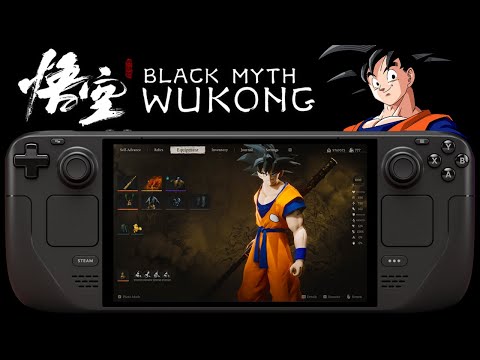
Conclusion:
The Black Myth: Wukong Eclipse Mod Steam Deck Machine is proof that the PC Gamer community always finds a way. If you want to complete the Monkey King's journey on your handheld, this guide is your best ally. Install, configure, and enjoy the fluidity the game deserves.
Veja mais artigos como Black Myth: Wukong Eclipse Mod Steam Deck Machine: The Definitive Guide for (60 FPS) na categoria Games.
PlayStation announces Stellar Blade Cosplay Contest with official prizes; video with model impresses

Cyberpunk 2077 Eclipse Mod Steam Deck: 60FPS and 4K Without Stuttering

Steam Deck Eclipse Mod: What It Is, How to Use It, and Which Games Are Compatible

Starfield Steam Deck Performance: Eclipse Mod + Best Settings

Does Lost Soul Aside Run Well on Steam Deck? The Definitive Setup Guide

ARC Riders Steam Deck: How it Runs and Best Settings